
System 03 · Swing planning
Plan the move before you commit to holding it.
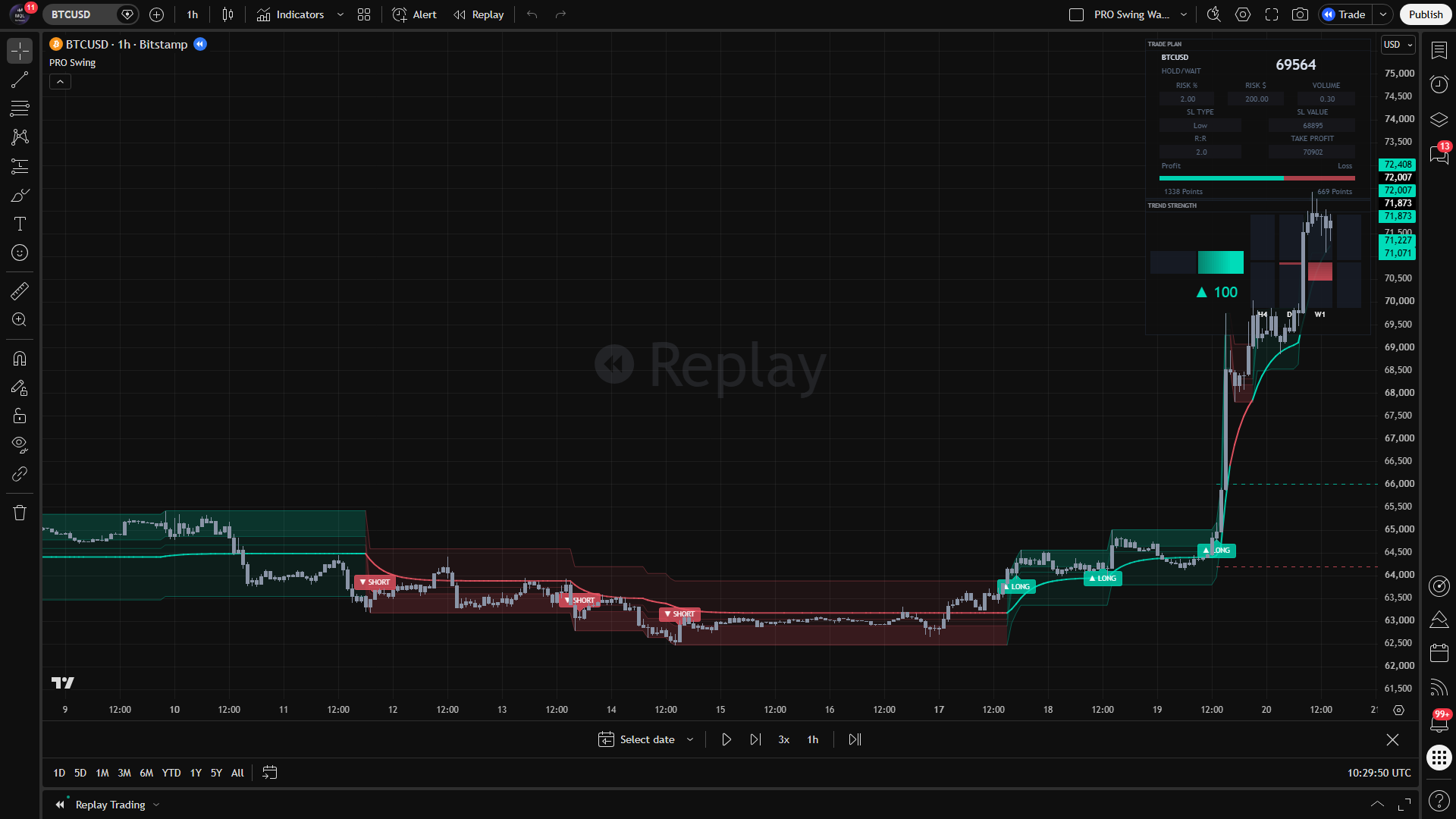
PRO Swing brings trend channels, swing levels, higher-timeframe context and position planning into one chart workflow for trades intended to last beyond the current session.
What the product actually does
Read the mechanism.
Then judge the fit.
The channel describes the move.
Adaptive trend channels and swing levels show direction and the structure a pullback is interacting with. The system is designed to frame a decision, not to turn every channel touch into an instruction.
- Adaptive trend channel
- Main and echo swing levels
- Long and short filters
- Trend-progress controls
Higher timeframes stay in view.
The trend-strength monitor compresses higher-timeframe direction into the working chart. Session and schedule controls let the workflow reflect when the trader actually participates.
- Multi-timeframe trend context
- Trading-session controls
- Compact and mobile modes
- Configurable signal filters
Risk is part of the display.
The planning layer places stop and target references on the chart and includes position-size inputs. It supports disciplined sizing; it cannot determine whether a trade is suitable for an individual account.
- Stop and take-profit references
- Optional second target
- Risk-per-trade input
- Units or lots display
A disciplined first pass
Three steps.
No theatre.
- Context
Check the channel and higher-timeframe direction before looking for an entry.
- Select
Use filters and the relevant swing level to define the setup.
- Size
Read the stop distance and set account risk before execution.
Claim boundary
What we can prove—and what we do not imply.
Confirmed product behaviour states that accepted signals remain on the chart. Unlike Price Reaction Levels, the repository does not contain a current cross-platform differential parity harness, so this page makes no identical-output claim between TradingView, MT4 and MT5.
TradingView + MetaTrader · Client Area · Updates & support