
First day · Existing customers
One chart. One system. Ten useful minutes.
Begin inside the Client Area, confirm the platform access attached to your purchase and open one system on one market you already follow. The first session is for orientation—not for adding every tool at once.
TradingView Paid Space
Connect the access
you already subscribed to.
TradingView already manages your Paid Space subscription and invite-only scripts. Connect the same TradingView username here to open the matching MetaTrader packages, manuals and support in the Client Area.
- Use your Client Area email.This protects the account that receives the additional access.
- Send one code from TradingView.The inbound private message proves control of the username.
- We verify the active subscription.Access is issued only after the Paid Space status is independently checked.
Step 1 · Secure email
Open your Client Area first.
Enter the email you want attached to Paid Space access. We will send a secure login link; then return to this section.
No payment is taken here. Never send a password, payment detail or private account data in TradingView chat.
Your first useful session
Learn one chart.
Then add complexity.
Open the access you already own.
Use the secure Client Area link attached to the purchase email. TradingView usernames are connected from Activation; the correct MetaTrader packages, manuals and account status remain in the same place.
- Open the purchase-linked Client Area
- Connect the exact TradingView username
- Download the required MT4 or MT5 package
- Use Support if paid access is missing
Start with one market and the defaults.
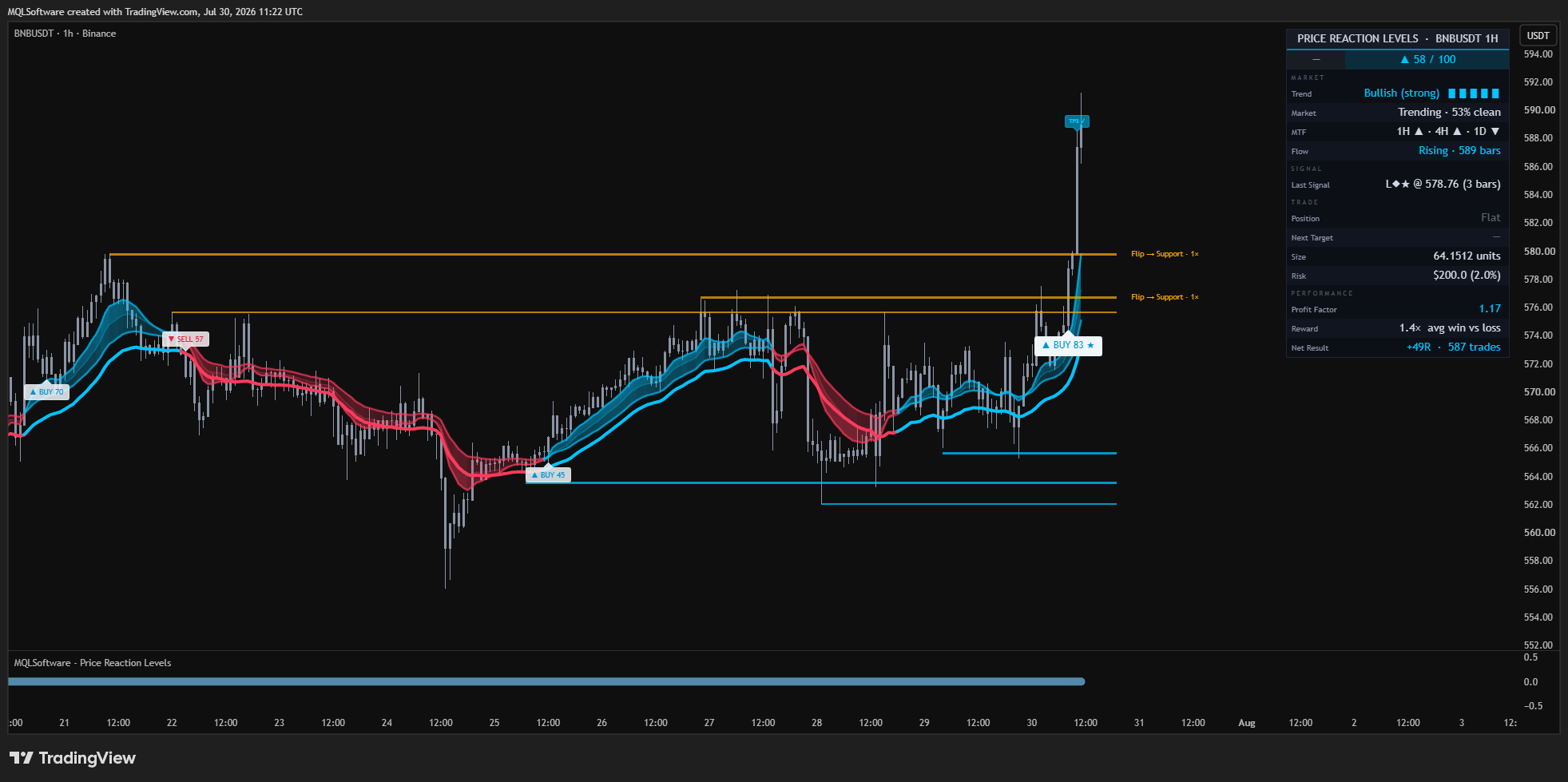
If you do not yet have a preference, begin with Price Reaction Levels on a liquid market you already understand, using a daily or four-hour chart. Leave the intended defaults in place and read the nearest level, trend state and structural stop before changing settings.
- One familiar market
- One chart and one system
- Defaults untouched for the first read
- Observe structure before searching for a signal
Choose the next system by the question.
Use Price Reaction Levels for reaction structure and planning, DisruptNEX for intraday regime and pressure, and PRO Swing for higher-timeframe structure and position planning. If the chart is unclear, waiting is a valid outcome.
- Levels and planning: Price Reaction Levels
- Intraday regime and pressure: DisruptNEX
- Swing structure and sizing: PRO Swing
- No clear condition means no forced decision
A disciplined first pass
Three steps.
No theatre.
- Open
Enter the Client Area and confirm the platform access attached to the purchase.
- Observe
Read one familiar chart with one system and the intended defaults.
- Expand
Add a second system only when a different market question requires it.
Claim boundary
What we can prove—and what we do not imply.
These systems are analytical decision-support tools—not a signal feed or automated execution service. No win rate or profit is promised. Access and product guidance can be verified in the Client Area; every trading decision remains the customer’s.
Already subscribed · Your access is waiting